Jump to Content
bhn_external
HomeGuidesRecipesAPI ReferenceDiscussionsWidgets
Log Inbhn_external
Guides
Log In
HomeGuidesRecipesAPI ReferenceDiscussionsWidgets

Documentation

  • Getting Started
    • Benefits & Capabilities
    • Place your first digital order
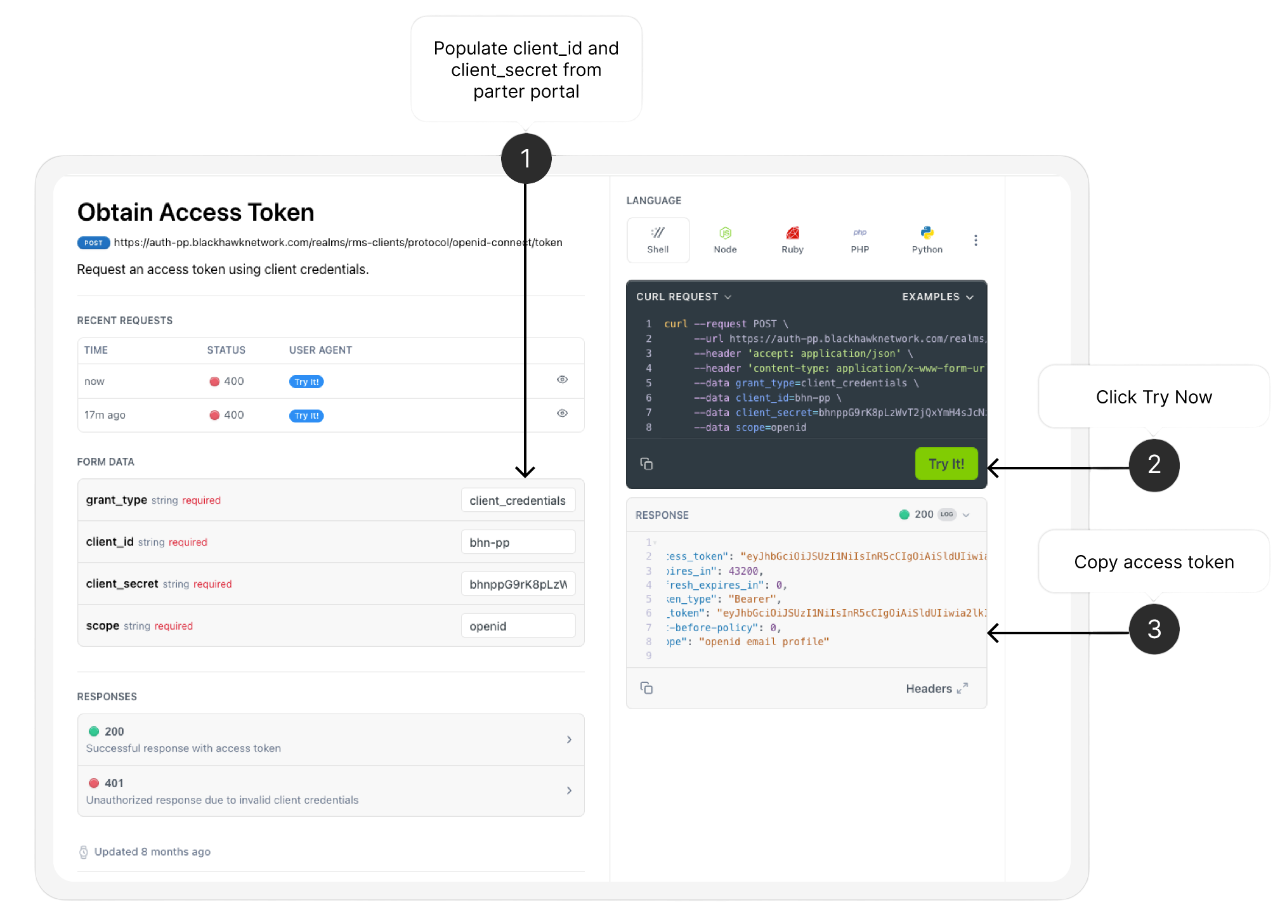
      • 1. Procure Token
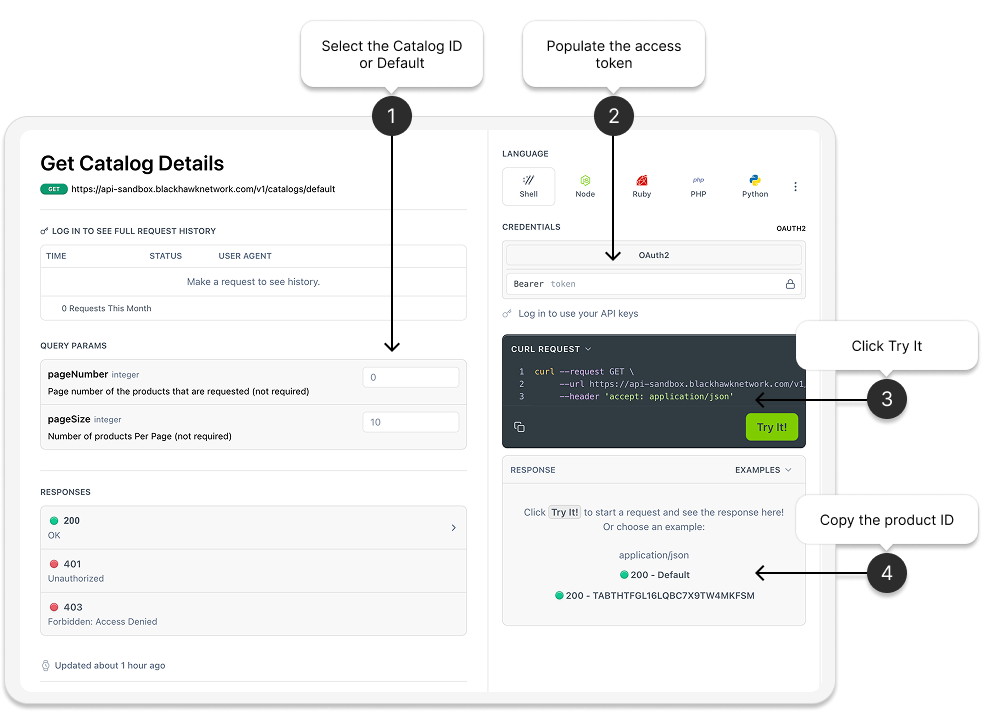
      • 2. Get Catalog
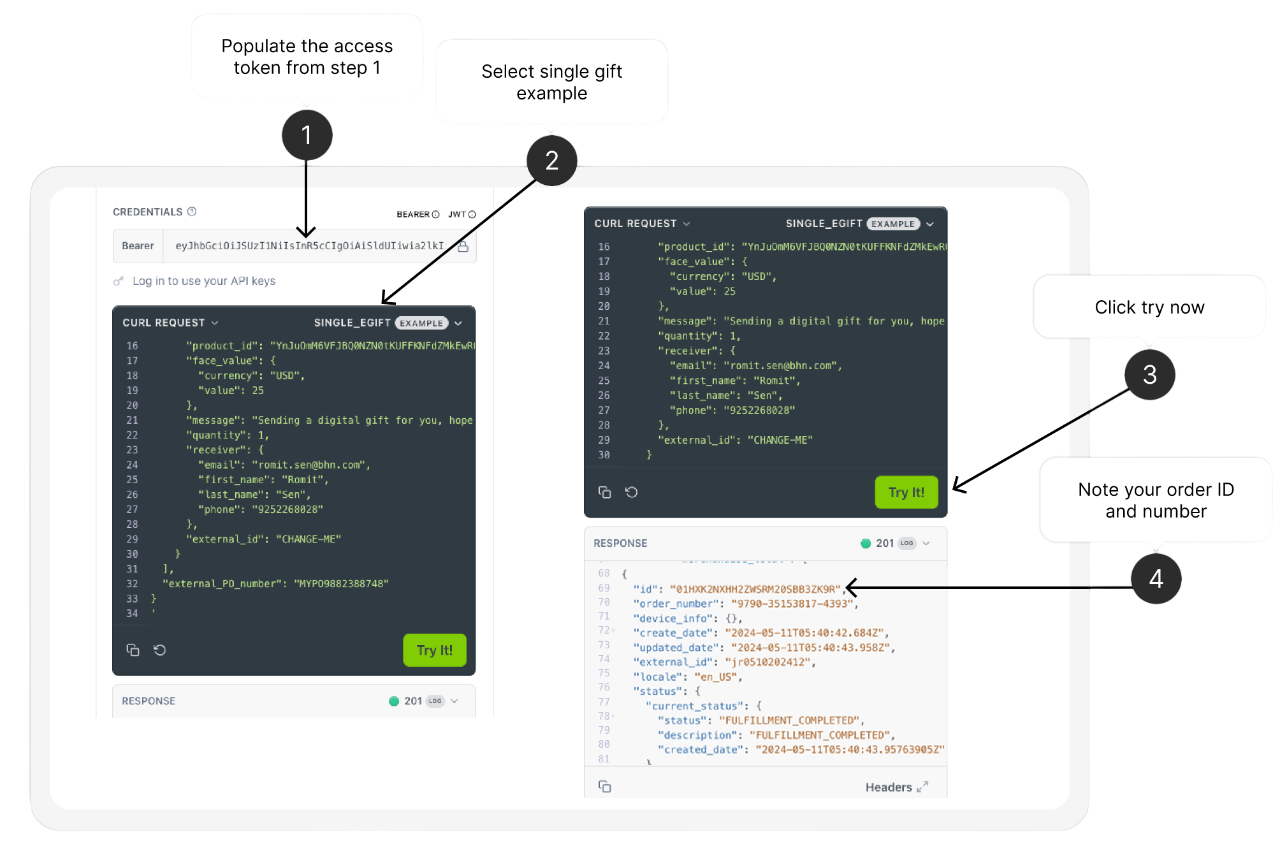
      • 3. Place order
    • Use Payment Widget
    • Place order with Promotion
  • Security and Authentication
  • Standards and Best Practices
    • Best Practices
    • API Environment
    • Error Handling & Error Codes
      • Ordering Error Codes
      • Servicing Error Codes
    • Retry Capability for Partner Fulfillment Use Cases via the Ordering Sync API
    • API Standards
    • API Usage Performance and Rate limiting
    • API Versioning
  • FAQs
  • Terms of Use
  • Servicing
  • Notifications
    • Catalog Notifications via Webhooks
    • Ordering Notifications via Webhooks
  • Reporting
Powered by 

Place your first digital order

We will walk you through the steps to place your first digital order.

The steps will include

1.Procuring your token
  1. Fetching your catalog

  2. Placing your order


Quick Start Video

Let's get started.